Bridgewall 2026.10.38679 Ask for early access
Bridgewall · not public yet — ask for early access Ask for early access
Self-hosted WireGuard mesh · macOS, Windows, Linux

The mesh VPN with no company in the middle.

You run the coordinator and the relay on hardware you already own. We never see a packet, a key, or an account. Ten days free for the first group, up to ten devices, no card.

Ten days free when it opens · up to 10 devices · no card · macOS, Windows, Linux

Plain WireGuardEd25519-signed network map Your keys never leave your machineNo account with us

The coordinator signs your network with a key generated on your machine that never leaves it. There is no account with us to be locked, and nothing of yours on our side to lose.

This is live — press something.

group:techs→tag:customer:*
Pricing

What Bridgewall costs

Your packets never touch us, so we could not meter them if we wanted to. What you buy is the product and the signed key that keeps your coordinator issuing maps — and every update, for as long as the key is current. Billed yearly, in euro, one invoice.

Team
€4per device, per month

10 devices minimum · €480 / year floor · billed yearly

For a company that wants its own network. The coordinator and the relay run on machines you already own, so they cost nothing.

  • Every device, macOS, Windows and Linux
  • Users, groups and rules, with the full audit log
  • SSO with your identity provider, or invite-only
  • Your own app catalog, signed with your key
  • Updates for as long as the key is current

40 devices = €160 / month. A hosted mesh at €9 per user would bill the same company €180 / month — and hold the keys.

Service provider
€39per customer site, per month

Unlimited machines per site · your technicians counted once

For a company that maintains other people’s machines. One price per site, whatever stands behind the maintenance node — and it is a line you pass straight on to that customer.

  • Unlimited machines behind each maintenance node
  • Structural isolation: a site can never reach back
  • Time-boxed access grants, expiring on their own
  • Your technicians are counted once, not per site
  • Everything in Team, for your own staff

One site = €39 / month. Most service companies bill €75–150 per site for remote support, so a site pays for itself on the first ticket.

Add-on Auto-Mate Worker Draw a workflow, put it on a clock, and let AI agents on your own machines carry out each step. Requires a Claude subscription signed in on each worker machine — the work runs under your own account, inside ceilings you set. Optional; Bridgewall is unchanged without it.
€19per worker machine, per month
What it does →

Four things that are not on the invoice.

And no processor agreement, because we process nothing. EU company; personal data never leaves your own hardware.

  • ×Bandwidth. The relay is yours; the traffic never leaves your walls.
  • ×A higher tier for access control. Groups, rules, audit and SSO are in the price. There is nothing to upgrade to.
  • ×The coordinator. It runs on hardware you already bought.
  • ×A cloud tenant. There is nothing of yours on our side to host.

Try it before any of this costs anything.

Ten days of the whole product on your own hardware. If you license it, the mesh you built during the trial is the one that keeps running.

Ask for early access
Nothing in the path

The coordinator is yours

It signs the network map with an Ed25519 key that never leaves your machine. There is no account with us that could be locked, sold or subpoenaed.

Nothing per seat

Your relay, your fallback

Devices connect directly when they can. When a network refuses, the relay in the same installer carries the traffic, still inside your own walls.

Nothing to assemble

One installer, four parts

The app, the agent, the coordinator and the relay ship together as one .pkg or .msi. Any Mac or PC can host the mesh.

Four networks people actually run

What people use it for

A one-person company, a firm with staff on the road, a service company with a hundred customer sites. The software is identical; what differs is one file of rules saying who may reach what.

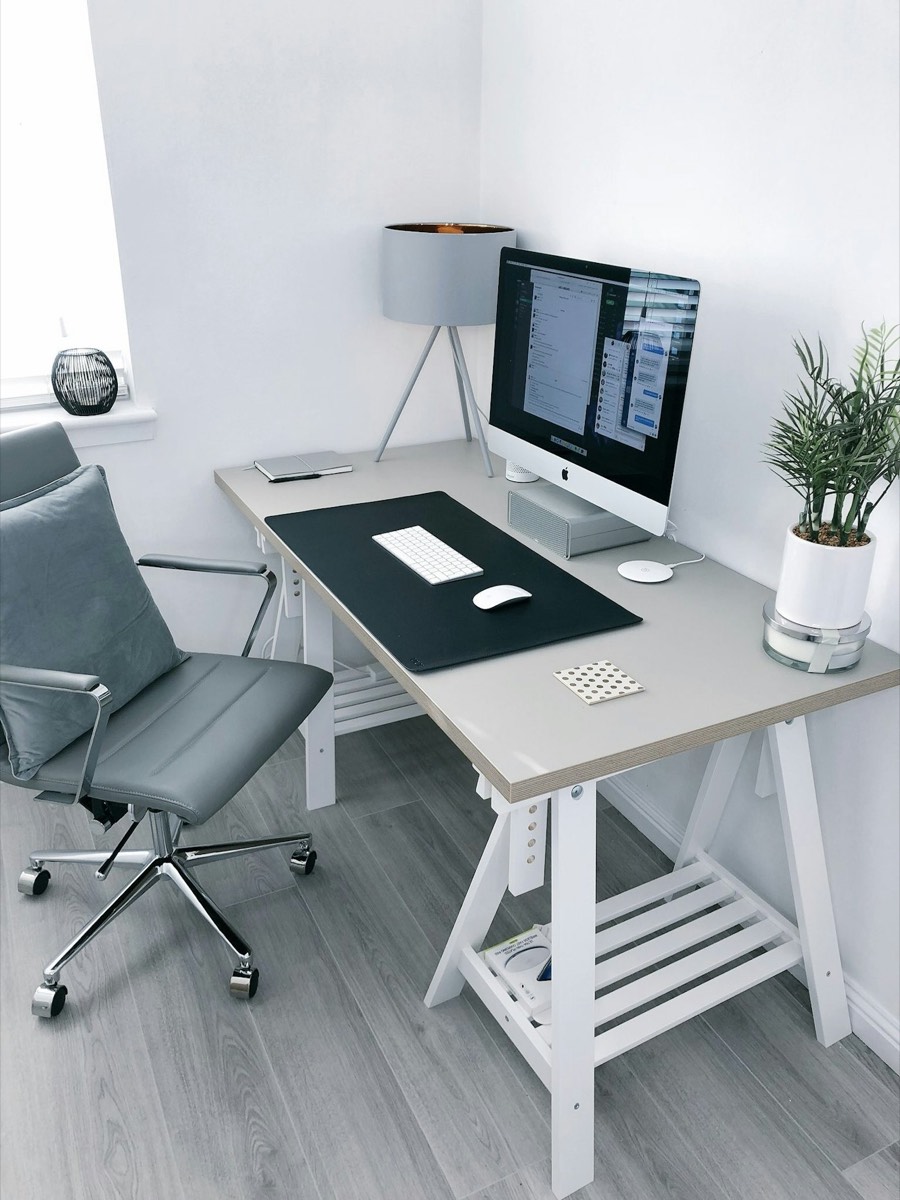
A home office desk with an iMac by a window
home.acme.bridgewall.mesh
One-person company or a lab

Reach the server at home from anywhere.

The machine under the desk becomes a name in your mesh. From the train, from a hotel, from the office, you open it as if you were sitting next to it. No port forwarding, no dynamic DNS, nothing exposed on the router.

The coordinator can live on that same machine. A phone, a laptop and the server is a complete mesh.

group:family→home:*accept

Ten days, on hardware you already own.

Up to ten devices, every feature on, no card. Nothing is created on our side, so there is nothing to cancel.

Ask for early access
How it works

How it works

There is no console to provision and no cloud tenant to create. You install, you invite, and you write down who may reach what.

Install

Put it on a Mac or a PC.

Run the .pkg or .msi. The first machine becomes the coordinator and relay; it also gets the app and the agent like every other device. It sits in the menu bar.

Invite

Every device gets a name and a signed map.

Send an invite. The device receives its name, a virtual address in 100.64.0.0/10 and a network map signed with your Ed25519 key. It only trusts maps that carry that signature.

Decide

Write who reaches what.

Rules are sentences: a group, an arrow, a target, a verb. The map carries the rules, so a device that is not named in one simply cannot see the other side. Nothing to audit later that was not there in the first place.

App catalog

Install your own software over the mesh

You hold the publisher key. Bridgewall has no way to publish to your devices, and no key of ours is trusted by them. The coordinator already knows every device and which group it belongs to, so it can also hand them software: you sign an artifact with your own key, aim it at a group, and each device checks the signature against the key pinned in your admin console before anything installs. Nothing installs that you did not sign, there is no public store in the path, and there is no installer link being forwarded around in chat. Revoke the key and every device stops accepting new artifacts from that moment. If you maintain machines across twenty customer sites, this is the part Tailscale leaves to your RMM.

1Sign with your keyGenerated on your coordinator, never shared.
2Aim at a groupThe same groups that carry access rights.
3The device verifies, then installsAgainst the key pinned in your console.

Your own software, distributed the way access already works.

Most internal tools travel by shared drive, a link in a chat, or a technician with a USB stick. In a Bridgewall network they travel the same path as everything else: signed, aimed at a group, and logged. Publishing is an upload and a version number; withdrawing is one switch, and the offer stops being served to every device at once.

The catalog is part of the product, not a separate service. It runs on your coordinator, from your machine, with your key.

The first app in the catalog is our own build worker, Auto-Mate. How that one works →

The 10-day trial

Ten days of the real thing. Keep what you build.

You download the same installer our customers run. Up to ten devices, no card, no feature switches. Nothing you set up is throwaway — a license key turns the trial mesh into the production one, same machine, same devices, no reinstall.

Day 12345678910
On day ten the mesh stops. Not degrades, stops. Your configuration, names, rules and keys are kept. A license key restarts it in seconds, with the same devices and the same map. Nothing to reinstall, nothing to re-invite.

What has to be reachable, exactly

The question every engineer asks first, answered without hand-waving.

  • →One endpoint. The coordinator needs a name and one UDP port — a forward on the office router, or a small VPS running nothing but the relay. That is the entire exposure, and it speaks only WireGuard.
  • →Direct first. Devices punch through most NATs on their own. When both ends sit behind symmetric NAT, traffic falls back to your relay — never ours, because we do not run one.
  • →Names stay inside. anna.acme.bridgewall.mesh is answered by your own coordinator. No public DNS zone, nothing registered with us.
  • →Nothing calls home. Devices report to your coordinator. Your coordinator reports to nobody.

What it is not good at yet

Every infrastructure product has this list. Most of them do not publish it.

  • !One coordinator. It is a single instance. Existing tunnels keep running if the host dies, but no new device can enrol until you restore the signing key from your backup.
  • !Back up the key yourself. Lose the Ed25519 key with no backup and the mesh is rebuilt from scratch. There is no copy anywhere else — that is the whole point, and it is also the risk.
  • !Scale is proven small. Tested on tens of devices, not thousands. With five hundred machines, talk to me before the trial rather than after.
  • !Rules stop at the group. Access is written per group and per tag, not per individual port on an individual host.
Add-on · Auto-Mate

Automate the work, not just the network

Auto-Mate is a work engine, not a script runner. You draw a workflow as a graph — steps, conditions, the branch that fires when a step fails — put it on a clock or file work into it by hand, and agents running on machines you own carry out each step and have to prove they did before the next one starts. The recurring things a team does by hand every week become a flow that runs itself and reports back.

It installs the way any of your own apps would: signed by us, pinned by you, aimed at a group you choose. It needs a Claude subscription signed in on each machine that runs work — the work executes under that account, inside two ceilings you set, so it can never spend more of your quota than you allow and we never see any of it. €19 per worker machine per month, and Bridgewall behaves identically if you never install it.
Before you download

Questions people ask first

Do I need a Claude subscription for the Auto-Mate add-on?

Yes, and it has to be signed in on each machine that runs the worker. The worker executes under that account, so its usage comes out of your own windows and nobody else’s — that is what makes the two ceilings meaningful, and what keeps us out of the loop entirely. Without a subscription the worker will not claim work.

This applies to the add-on only. Bridgewall itself has nothing to do with Claude.

Can Bridgewall push software to my machines?

No. Only a key you generate and pin can. We have no publisher key on your mesh, and the catalog can be switched off entirely at install.

What exactly runs on the machine that hosts the mesh?

The same installer as everywhere else, with two more parts switched on: the coordinator, which holds the Ed25519 key and signs the network map, and the relay, which carries traffic between devices that cannot reach each other directly. It is a Mac or a PC that stays on. It does not need a public address; it needs to be reachable by the devices you invite.

Does any traffic or metadata go through Bridgewall the company?

No. Device traffic goes directly between your devices or through your own relay. The map is signed by your coordinator. We are not in the path and we do not hold a copy of your keys.

What happens on day 10, precisely?

The trial key expires and the coordinator stops signing new maps. Devices only trust a current signed map, so they drop their tunnels within the hour. Nothing is deleted: names, addresses, rules and device enrolments stay on your coordinator. Enter a license key and the coordinator signs again; devices reconnect in seconds.

You get one reminder email on day 7.

How do people sign in?

Either way you like. A mesh can be invite-only, where the admin sends each device an invite from the app, or it can use your identity provider with SSO and MFA so that staff sign in with the account they already have. Both can be combined, for example SSO for staff and invites for a handful of contractors.

Can a customer's maintenance node ever reach into my network?

No. A maintenance node accepts connections and never initiates them; the map it receives does not contain your side as a target. That is enforced by the signed map on every device, not by a firewall rule you could forget. Access grants are time-boxed and every session is written to the audit trail.

What do I need to buy after the trial?

A license key for your coordinator. €4 per device per month for your own staff, and €39 per customer site per month if you maintain other people’s machines. Billed yearly, ten devices minimum, and the figure is on the invoice before you spend a minute of the trial — see pricing.

Can we hand out our own software over the mesh?

Yes. The app catalog is part of the coordinator. You upload a build, sign it with your own publisher key, and choose the group it is offered to; the devices in that group see it in the Apps tab and verify the signature against a key pinned in your console before anything installs. Withdrawing an offer stops it being served everywhere at once.

Our own Auto-Mate Worker ships as an app in that catalog. It is an add-on, priced per worker machine, and it runs on your own Claude subscription under two usage ceilings you set — we never hold a key for it.

Your networks, bridged. Everyone else, walled out.

Ask for early access Version 2026.10.38679 · macOS and Windows